
Flow vs Apex in Salesforce: How to Choose the Right Automation Approach
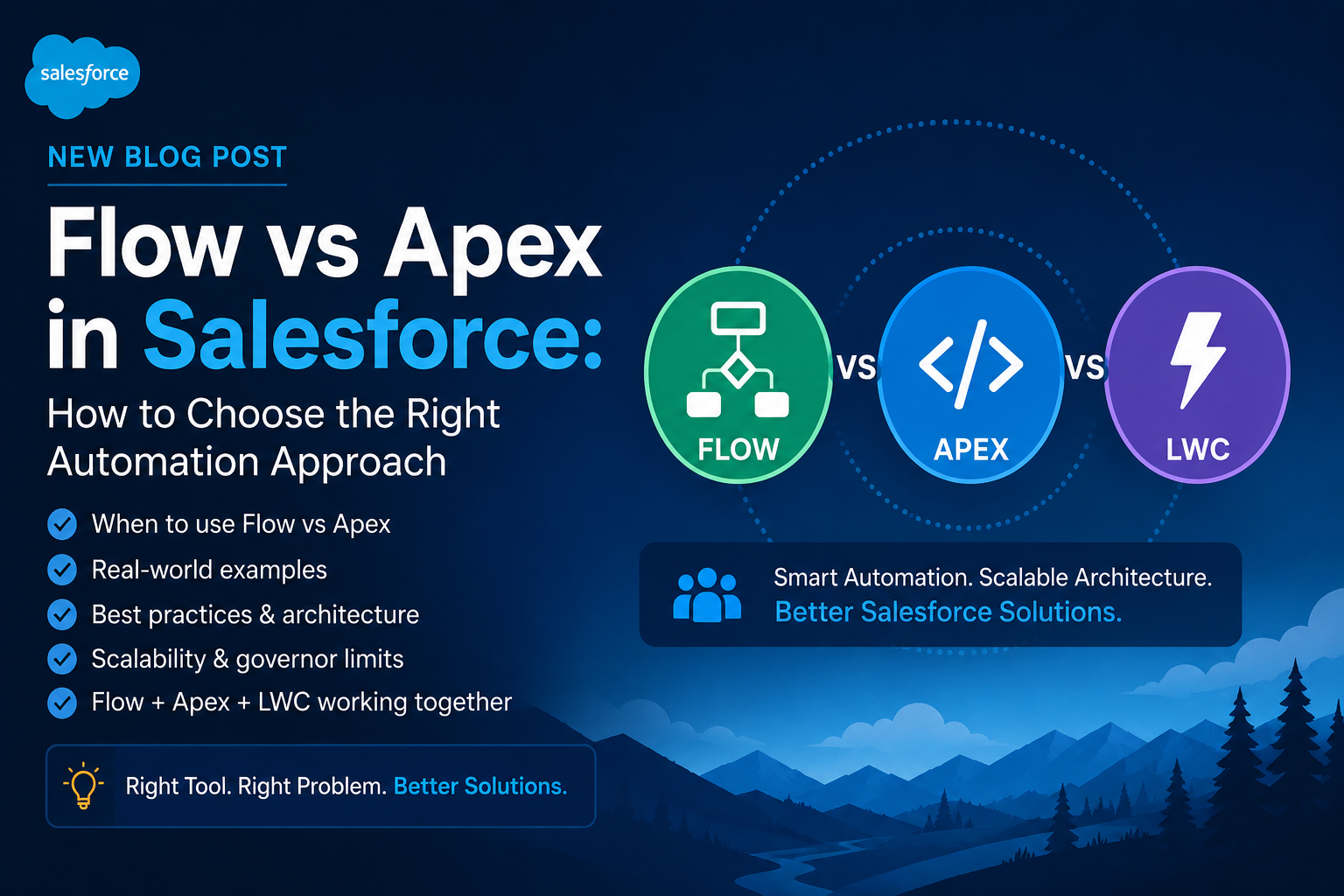
One of the most common questions in Salesforce development is:
“Should I use Flow or Apex for this requirement?”
With Salesforce continuously expanding its declarative capabilities, many business requirements that previously required Apex can now be implemented using Flow. However, that does not mean Apex is no longer necessary.
The real challenge is not choosing between Flow and Apex based on personal preference. It is about understanding the business requirement, transaction volume, complexity, maintainability, performance, security, and future scalability.
In this article, we will explore how to make that decision from a practical Salesforce development perspective.
1. Flow and Apex: What Is the Difference?
At a high level:
- Flow is Salesforce’s declarative automation framework.
- Apex is Salesforce’s programmatic language for implementing custom business logic.
- LWC (Lightning Web Components) is primarily used when we need a custom user interface or richer client-side interaction.
A simple way to think about them is:
                    Business Requirement
                           |
                           v
                 Can Flow handle it?
                    /           \
                  Yes            No
                   |              |
                 Flow           Apex
                   |
                   v
             Need custom UI?
                /       \
              Yes        No
               |          |
              LWC        Flow
The important point is that these technologies are not competitors.
In many enterprise applications, Flow + Apex + LWC work together.
2. When Should You Use Salesforce Flow?
Flow should generally be your first consideration when the requirement can be solved cleanly using declarative automation.
Typical use cases include:
- Updating related records
- Creating records
- Sending notifications
- Assigning records
- Updating fields based on business rules
- Simple approval-related automation
- Scheduled automation
- Screen-based business processes
- Basic validation and routing logic
Example
Suppose the requirement is:
When a Case is created with Priority = High, automatically assign it to the High Priority Support Queue.
This is a straightforward use case for a Record-Triggered Flow.
The logic could be:
Case Created
     |
     v
Priority = High?
     |
    Yes
     |
     v
Assign High Priority Queue
There is little value in writing Apex for such a requirement if Flow can implement it reliably and maintainably.
3. When Should You Use Apex?
Apex becomes more appropriate when the business logic becomes complex or when Flow cannot efficiently handle the requirement.
Typical scenarios include:
Complex business logic
If the requirement contains many conditional rules, calculations, loops, or complex data processing, Apex can provide better structure and maintainability.
Large-volume processing
Salesforce operates under governor limits.
When processing large numbers of records, poorly designed automation can create performance problems.
Apex allows developers to design bulkified logic and control database operations more efficiently.
Complex integrations
If Salesforce needs to communicate with external systems and the integration involves:
- Complex request/response transformations
- Authentication handling
- Error management
- Multiple callouts
- Asynchronous processing
- Retry mechanisms
Apex may be the better choice.
Reusable business logic
Sometimes the same business logic is required by multiple entry points.
For example:
              LWC
               |
               v
            Apex Service
           /     |      \
        Flow   API    Batch Job
Instead of duplicating the logic in multiple places, a reusable Apex service layer can centralize it.
4. Where Does LWC Fit?
LWC is different from Flow and Apex because its primary responsibility is the user interface.
For example, suppose a business user needs a custom Case Management screen where they can:
- Search customers
- View open Cases
- Update Case information
- Create a Case
- View related information
- Perform custom actions
A standard Salesforce page or Flow screen may not provide the required user experience.
This is where LWC becomes valuable.
A typical architecture might look like:
                 User
                   |
                   v
                  LWC
                   |
                   v
             Apex Controller
                   |
                   v
            Apex Service Layer
                   |
              +----+----+
              |         |
             SOQL     DML
              |         |
              v         v
          Salesforce Data
The LWC handles presentation and user interaction.
Apex handles server-side business logic and data access.
5. Flow vs Apex: Practical Comparison
AreaFlowApexDevelopment approachDeclarativeProgrammaticDevelopment speedUsually fasterUsually slowerSimple automationExcellentUsually unnecessaryComplex business logicCan become difficultExcellentLarge-volume processingRequires careful designStrong controlComplex integrationsLimited depending on requirementExcellentMaintainabilityExcellent for simple logicExcellent for structured complex logicCustom UIScreen FlowUsually LWC + ApexTestingFlow tests / debuggingApex test classesReusable complex logicLimitedExcellentDeveloper skills requiredLowerHigher
| Area | Flow | Apex |
|---|---|---|
| Development approach | Declarative | Programmatic |
| Development speed | Usually faster | Usually slower |
| Simple automation | Excellent | Usually unnecessary |
| Complex business logic | Can become difficult | Excellent |
| Large-volume processing | Requires careful design | Strong control |
| Complex integrations | Limited depending on requirement | Excellent |
| Maintainability | Excellent for simple logic | Excellent for structured complex logic |
| Custom UI | Screen Flow | Usually LWC + Apex |
| Testing | Flow tests / debugging | Apex test classes |
| Reusable complex logic | Limited | Excellent |
| Developer skills required | Lower | Higher |
The table makes one thing clear:
There is no universal winner.
The correct technology depends on the requirement.
6. A Real-World Example
Let’s consider a Service Cloud requirement.
Business Requirement
Whenever a new Case is created:
- Determine the Case category.
- Check customer priority.
- Find available support resources.
- Calculate assignment priority.
- Assign the Case.
- Notify the assigned team.
- If no resource is available, send the Case to a fallback queue.
- Log the assignment result.
At first glance, someone may suggest:
“Let’s build a Flow.”
And Flow may indeed handle some of the requirements.
For example:
Case Created
     |
     v
Check Category
     |
     v
Check Customer Priority
     |
     v
Assign Queue
     |
     v
Send Notification
But imagine that the resource selection algorithm becomes more complex:
Case
 |
 +-- Category
 |
 +-- Customer Priority
 |
 +-- Skills Required
 |
 +-- Resource Availability
 |
 +-- Region
 |
 +-- Current Workload
 |
 +-- SLA
 |
 +-- Assignment Score
At this point, Apex may provide a cleaner and more maintainable solution.
A hybrid architecture could be:
                    Case Created
                         |
                         v
                 Record-Triggered Flow
                         |
                         v
                  Basic Validation
                         |
                         v
                  Call Apex Action
                         |
                         v
                Assignment Service
                         |
             +-----------+-----------+
             |                       |
             v                       v
       Resource Search          Assignment Score
             |                       |
             +-----------+-----------+
                         |
                         v
                  Selected Resource
                         |
                         v
                    Update Case
                         |
                         v
                    Notification
This is often more practical than forcing the entire solution into either Flow or Apex.
7. Don’t Use Apex Just Because You Can
One mistake I have seen in Salesforce development is using Apex for requirements that could easily be handled with Flow.
For example:
Requirement:
When Account Phone changes,
update a field on the Account.
Creating a trigger for this requirement may be unnecessary.
A simple Record-Triggered Flow can handle it.
Using Apex introduces additional considerations:
- Apex class
- Trigger
- Test class
- Deployment
- Code maintenance
- Technical debt
If Flow solves the requirement cleanly, adding Apex may increase complexity without adding real value.
8. Don’t Use Flow Just Because Salesforce Supports It
The opposite mistake is equally important.
A requirement can technically be implemented in Flow but still be a poor candidate for Flow.
For example:
Large data volume
        +
Complex calculations
        +
Multiple related objects
        +
Complex integration
        +
Asynchronous processing
Trying to implement everything inside a massive Flow can result in:
- Difficult debugging
- Difficult testing
- Poor maintainability
- Complex decision paths
- Performance issues
- Hard-to-understand automation
A Flow with dozens of decisions and nested loops is often a sign that the solution should be reconsidered.
9. The Importance of Bulkification
One of the most important concepts when using Apex is bulkification.
Salesforce does not process records only one at a time.
For example, a trigger may receive:
1 record
10 records
100 records
200 records
Therefore, Apex should be designed to process collections rather than individual records.
Bad approach
for (Case c : Trigger.new) {
    Account acc = [
        SELECT Id, Name
        FROM Account
        WHERE Id = :c.AccountId
        LIMIT 1
    ];
}
This approach can cause SOQL queries to execute repeatedly inside a loop.
Better approach
Set<Id> accountIds = new Set<Id>();

for (Case c : Trigger.new) {
    if (c.AccountId != null) {
        accountIds.add(c.AccountId);
    }
}

Map<Id, Account> accounts = new Map<Id, Account>(
    [
        SELECT Id, Name
        FROM Account
        WHERE Id IN :accountIds
    ]
);
Now the query is performed once for the entire collection.
This is one of the fundamental principles of scalable Salesforce development.
10. Think About Governor Limits Early
Salesforce is a multi-tenant platform, so governor limits are part of the platform architecture.
When designing automation, consider:
- SOQL query limits
- DML limits
- CPU time
- Heap size
- Callout limits
- Future/Queueable limits
- Flow element and execution considerations
A solution that works with 5 records in a developer environment may behave very differently when it processes thousands of records in production.
That’s why scalability should be considered during design, not after deployment.
11. A Simple Decision Framework
When deciding between Flow and Apex, I usually recommend asking these questions:
Question 1: Is the requirement simple?
If yes, start with Flow.
Question 2: Does it involve complex calculations or algorithms?
If yes, consider Apex.
Question 3: Does it process large data volumes?
If yes, carefully evaluate Apex and bulkification requirements.
Question 4: Does it require an external integration?
Evaluate whether Flow, an integration platform, or Apex is the best fit based on complexity.
Question 5: Does it require a custom user interface?
Consider LWC.
Question 6: Will the logic be reused in multiple places?
A reusable Apex service may be more appropriate.
Question 7: Will the Flow become difficult to understand?
If the Flow is becoming extremely complex, stop and reconsider the architecture.
12. A Practical Architecture Pattern
For enterprise Salesforce applications, a hybrid approach can often provide the best balance.
                     Salesforce User
                            |
                            v
                           LWC
                            |
                            v
                      Apex Controller
                            |
                            v
                     Service Layer
                            |
                +-----------+-----------+
                |                       |
                v                       v
             Selector                Domain Logic
                |                       |
                +-----------+-----------+
                            |
                            v
                       Salesforce Data

                 Record-Triggered Flow
                         |
             Simple Declarative Automation

                 Integration Layer
                         |
                         v
                  External Systems
The key principle is to give every technology a clear responsibility.
Flow → straightforward declarative automation
Apex → complex/reusable server-side business logic
LWC → custom user experience
Integration layer → communication with external systems
13. Common Mistakes to Avoid
Mistake 1: Using Apex for everything
Not every automation needs a trigger.
Use declarative tools when they provide a clean solution.
Mistake 2: Creating huge Flows
A Flow should be understandable and maintainable.
If it becomes a giant collection of decisions and loops, reconsider the architecture.
Mistake 3: Ignoring bulk processing
Always think beyond the single-record scenario.
Ask:
“What happens if 200 records are processed together?”
Mistake 4: Ignoring governor limits
Governor limits are not something to discover during production incidents.
Consider them during design.
Mistake 5: Mixing UI and business logic
Avoid putting too much business logic directly inside LWC JavaScript.
Keep responsibilities separated.
Mistake 6: Building without considering future changes
A solution should not only work today.
Think about:
- Future integrations
- Increasing data volume
- New business rules
- Reusability
- Testing
- Deployment
- Maintenance
14. My Rule of Thumb
A simple rule I use when evaluating a Salesforce requirement is:
Start with the simplest solution that can meet the current requirement without creating future technical debt.
That often means:
Flow first → Apex when complexity demands it → LWC when the user experience requires it.
But this should not become a rigid rule.
Architecture should always be driven by the actual requirements.
15. Final Thoughts
Salesforce gives us a powerful combination of declarative and programmatic development tools.
The goal is not to prove that we can solve everything with Apex or everything with Flow.
The goal is to build a solution that is:
- Scalable
- Maintainable
- Secure
- Testable
- Performant
- Easy to understand
- Aligned with business requirements
The best Salesforce developers are not simply the ones who know how to write Apex or build Flows.
They are the ones who know when not to write Apex, when not to build another Flow, and how to choose the right tool for the problem.
That is where Salesforce development starts becoming Salesforce architecture.
Conclusion
Flow and Apex should not be viewed as competing technologies.
They are complementary tools within the Salesforce platform.
For simple automation, Flow can provide a fast and maintainable solution.
For complex business logic, large-scale processing, reusable services, and advanced integrations, Apex can provide the control and flexibility required.
And when a custom user experience is required, LWC can sit on top of these services to provide a modern interface.
The real skill is not knowing Flow vs Apex.
It is knowing why, when, and where to use each one.
About the Author
I am a Salesforce and full-stack technology professional with experience across Salesforce development, Apex, LWC, CPQ, Service Cloud, integrations, and enterprise application architecture.
I enjoy solving complex business problems by combining Salesforce capabilities with scalable software engineering practices.
Follow me for more practical Salesforce development, architecture, integration, and automation insights.
